Centric PLM Connects

Since 2023, I have been the sole lead designer on Centric PLM Connects, delivering 7 workflow innovations across connectors that span across fashion, food, and hardware industries.

Context

Centric PLM Connects are plugins inside the 2D/3D design tools used by designers and engineers. They support two core workflows:

  • Import PLM data into creative tools so teams use the right colors, materials, and product information.
  • Publish work back to PLM so downstream teams can use the latest assets for sampling and marketing.

Business Impact

Our connectors accelerate customers’ time-to-market by streamlining product data across teams, enabling faster sampling and lower development costs.

Over the past three years, we achieved an average annual customer growth of 26.8%. Connectors have become a key differentiator that helps us win competitive PLM deals, expand our customer base, and strengthen retention.

Below are the three main projects I’ve led and launched. I owned all of them entirely from ideation to launch.

Browzwear Connect:
Reinventing Check-in

Redesign

Fashion

2024

Fashion designers needed to upload their design work from Browzwear (a 3D apparel design tool) to PLM for reviews and sampling across different milestones.

I redesigned this experience to be faster and support richer asset types, saving designers hours of manual work.

Problem

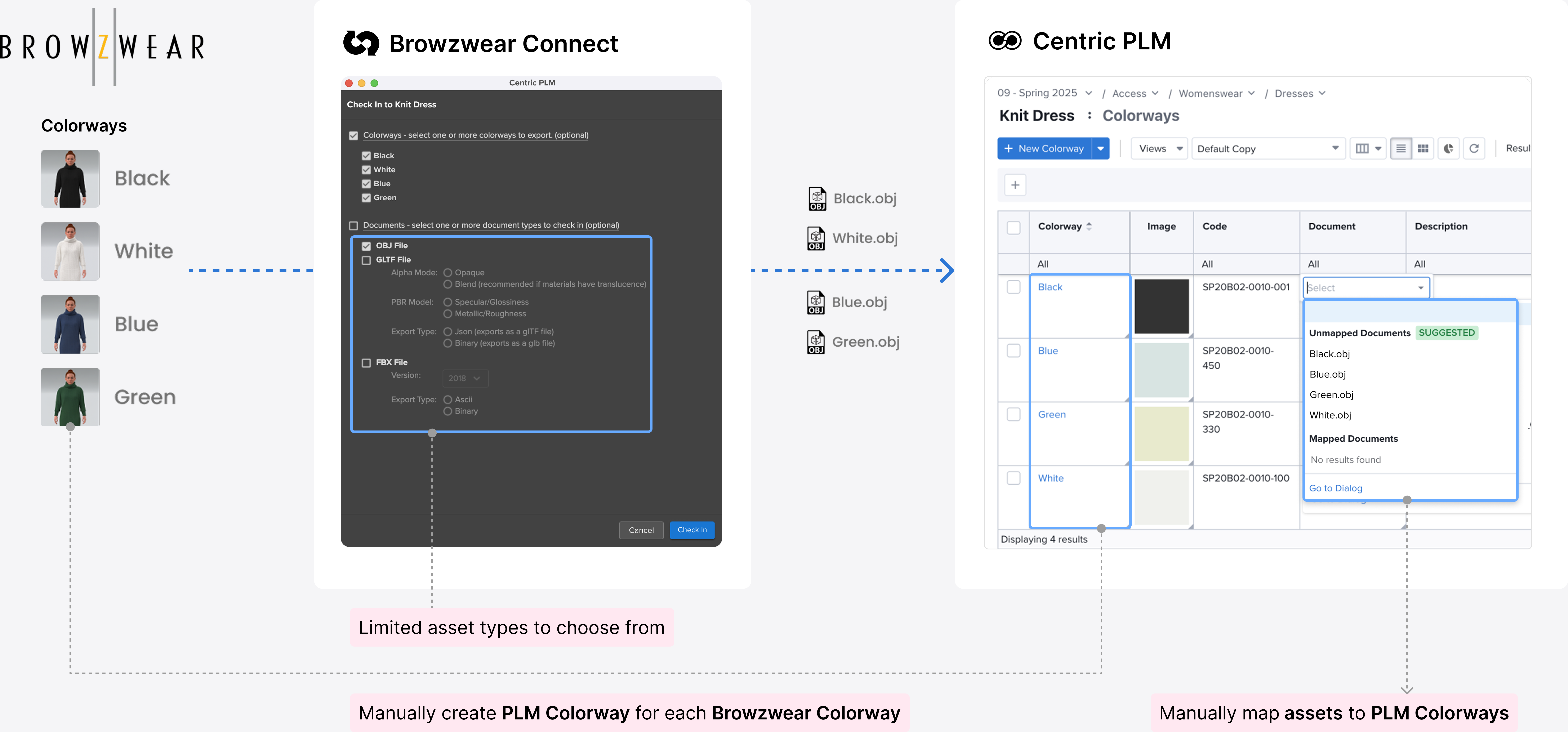
The previous check-in required a lot of manual work to make sure Browzwear assets were sent to the correct location in PLM, leading to wasted time and errors.
Automated Workflow

The key user need was ensuring assets from each Browzwear colorway sent to the correct PLM colorway, with more asset types supported. While my PM gathered asset format requirements, I designed a new workflow that shifts mapping to the colorway level with automation, enabling all assets to inherit the correct relationship.

Design Iterations and Testing

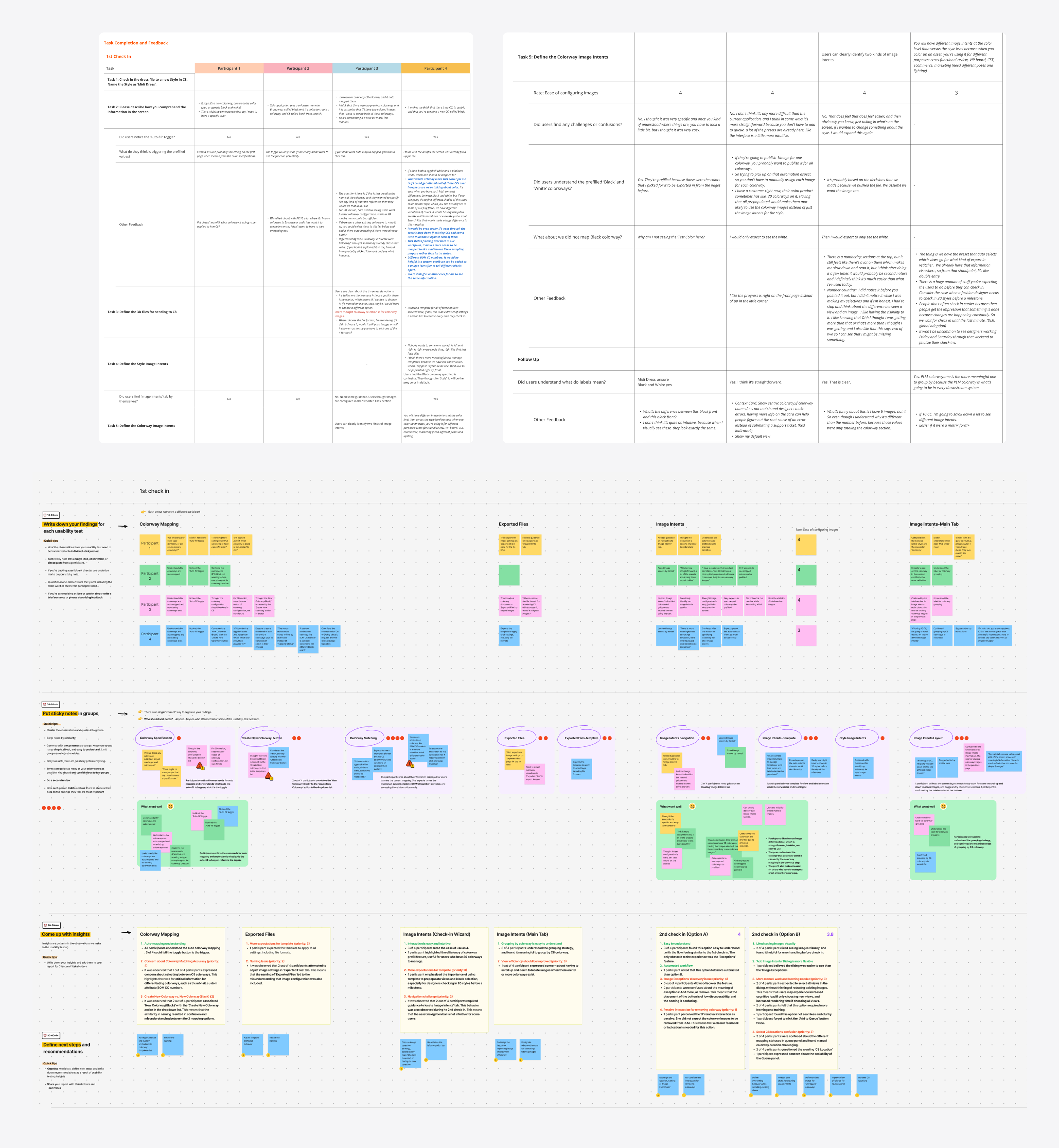

I ran multiple iterations on colorway mapping and asset settings to support richer capabilities while keeping the experience clear and manageable. Continuous design reviews and user testing helped guide each improvement.
A Faster, Automated Check-in With Rich Asset Delivery

Automap Colorways

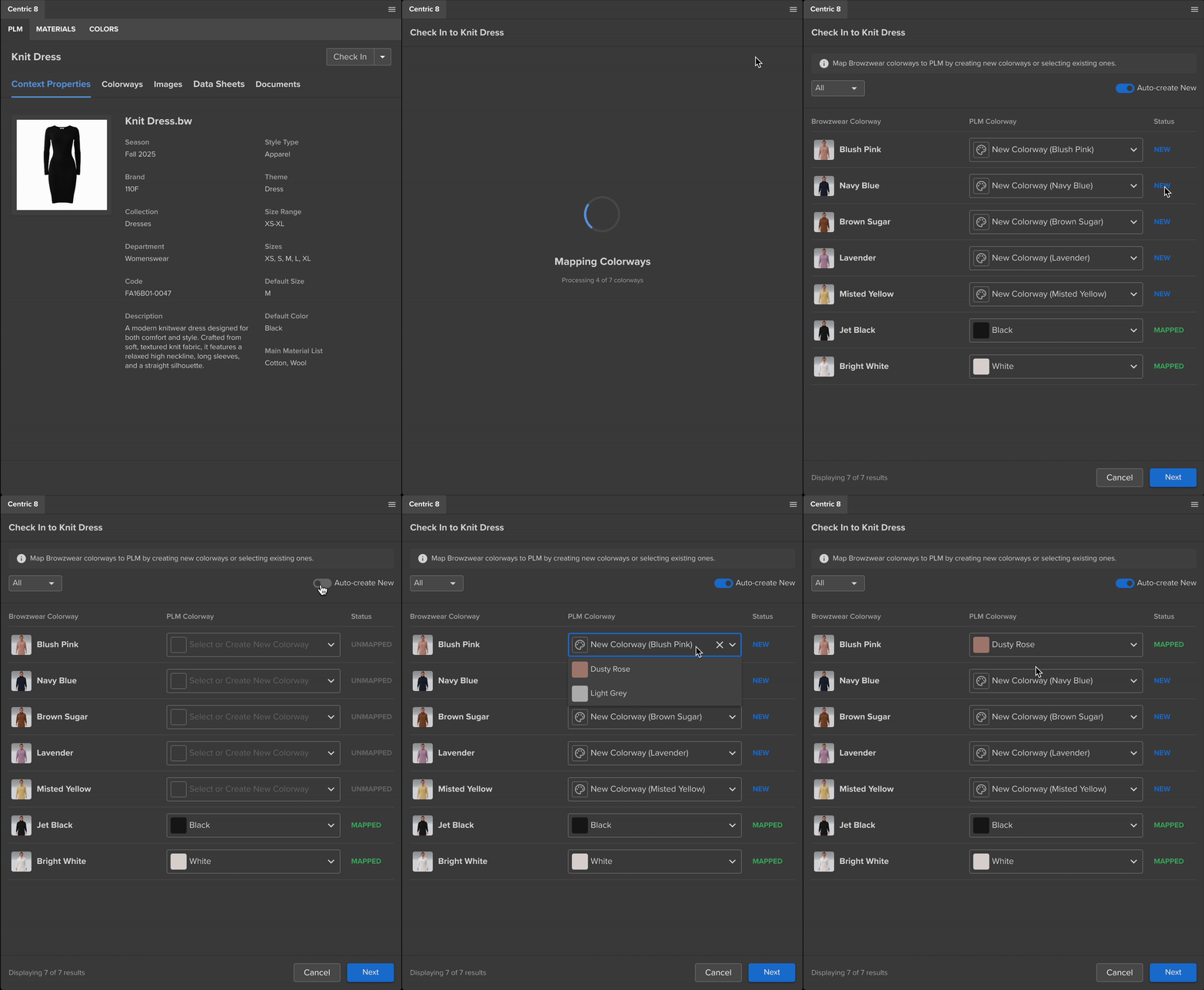
By introducing a colorway mapping step, designers can confirm auto-suggested mappings and create new PLM colorways in one click.

This eliminates tedious manual setup and ensures assets flow to the right PLM colorways.

Rich Assets Settings

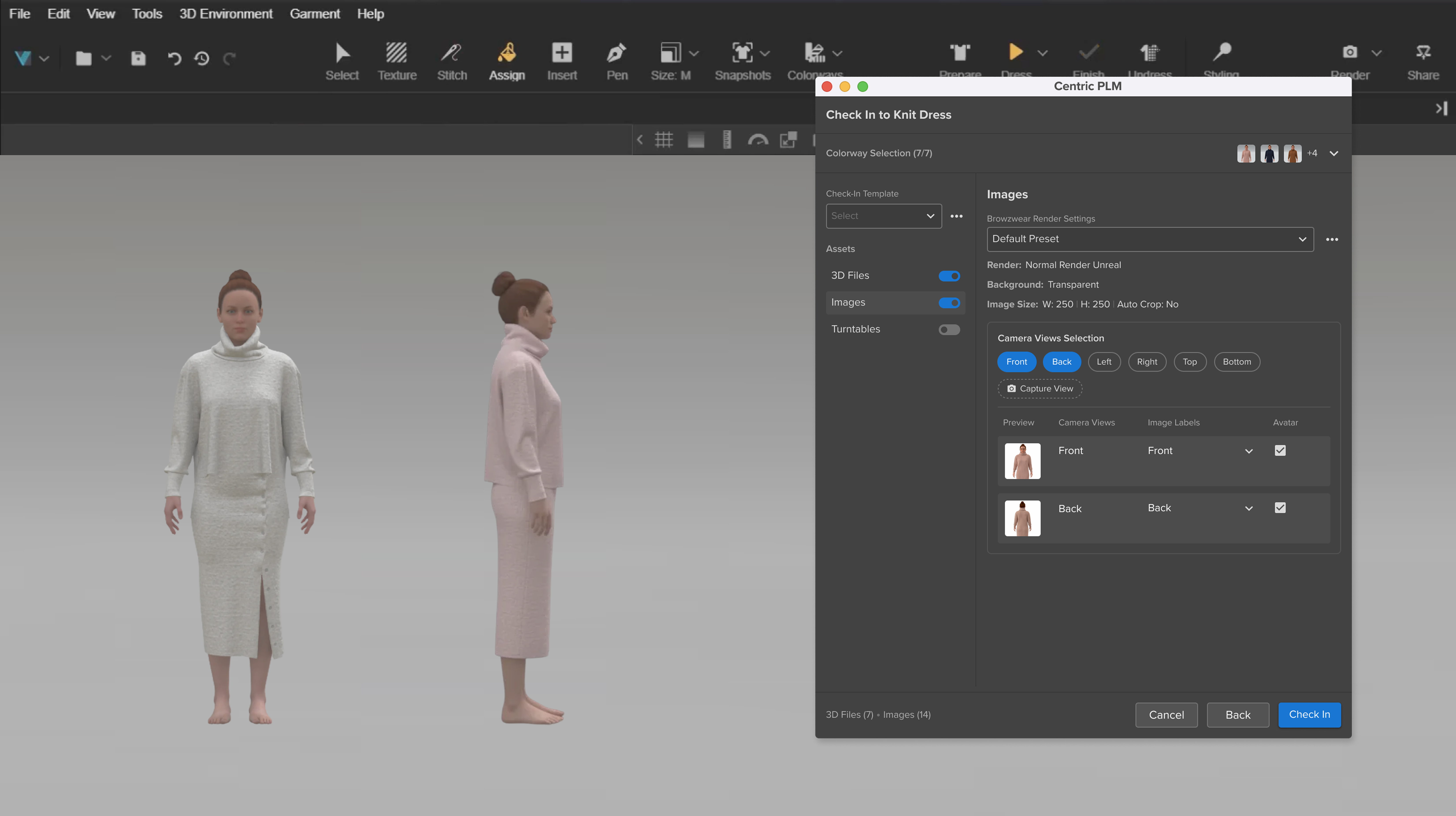
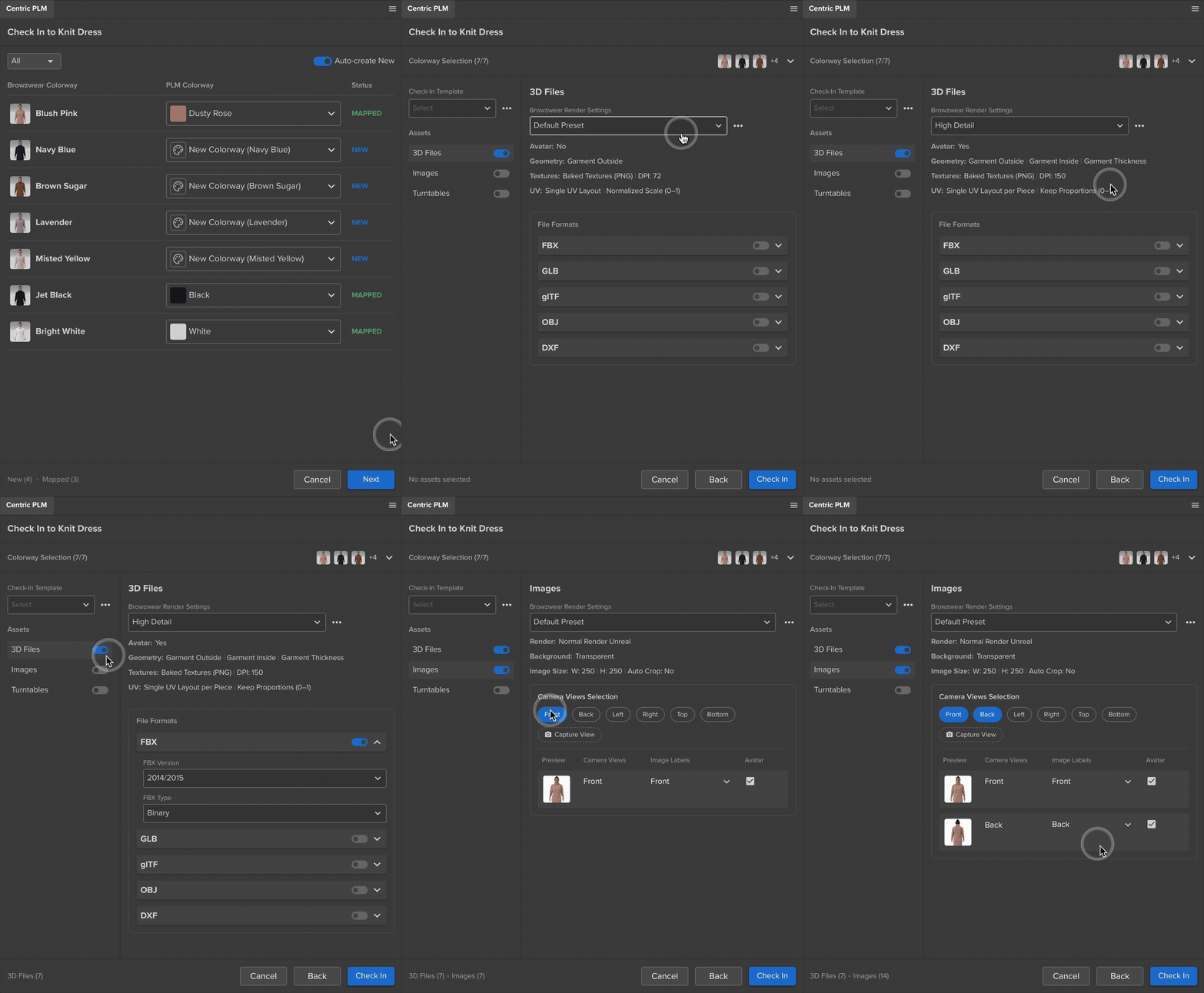
I expanded the asset options based on real customer needs and structured them in an intuitive, scalable way.

This allows designers to choose formats and render qualities with clarity rather than feeling overloaded.

Outcome

The new workflow reduces check-in time by ~70% and accelerates downstream PLM workflows. Based on customer feedback, this solution saves four weeks in design lead time and reduces development costs by 25% due to cutting physical samples by more than half. Since launch, it has continued to drive higher adoption among fashion customers.

Adobe Connect:
Food Label Integration

New Function

Food

2025

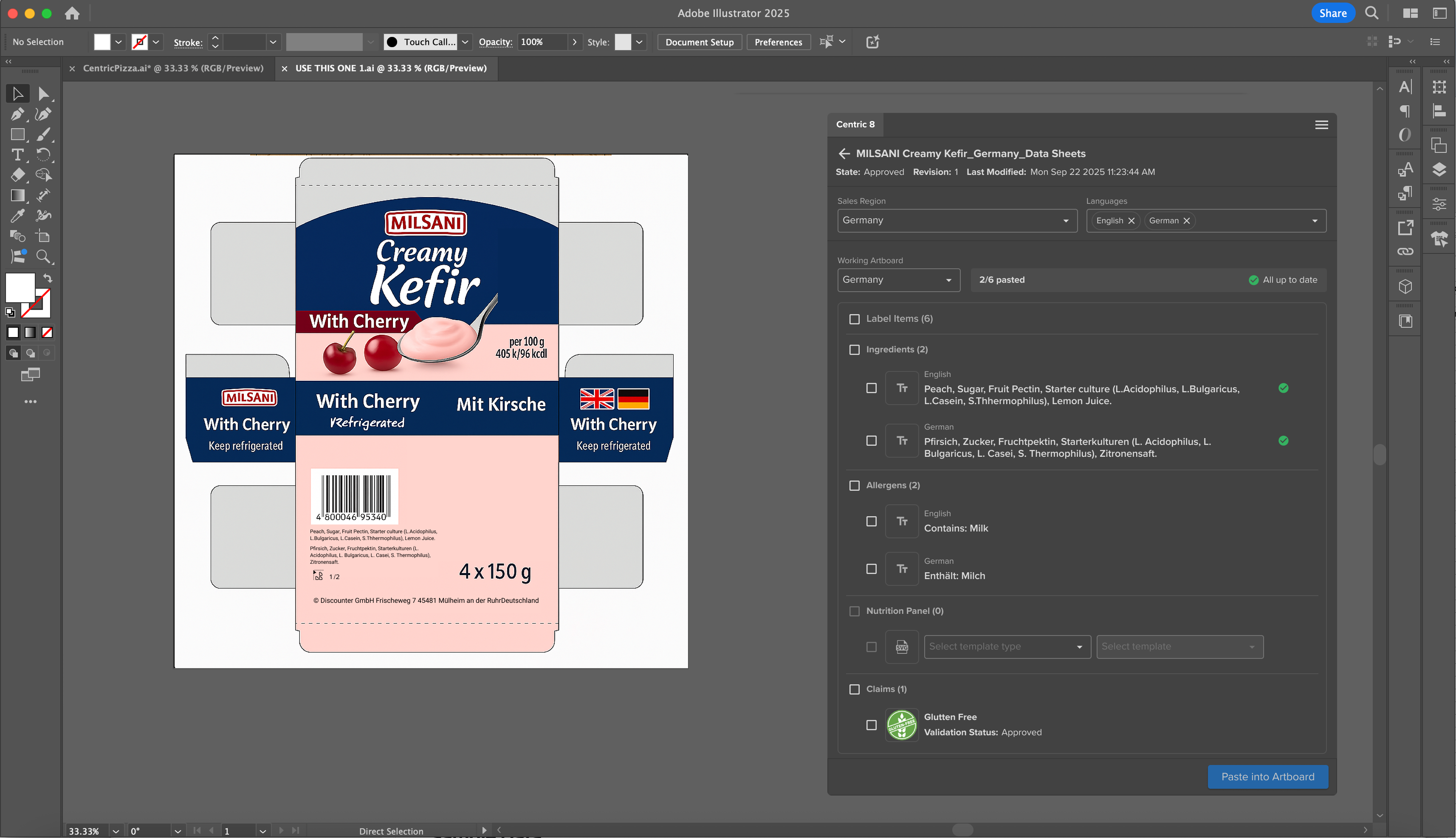
This project began when 20+ PLM food customers asked Adobe Connect to support their packaging design workflows, so graphic designers can use correct food label data in their artwork.

I navigated this new domain through research and interviews to uncover real workflows, leading to a successful integration that truly meets user needs.

Problem & Goals

Previously, designers had to manually copy food label data from PLM into Illustrator, leading to missing content, outdated information, and delays in product launches. Business consultants share two main user needs:

  • Ensuring all required label data is placed in the artwork.
  • Being notified when data updates and replacing it easily with the latest version.

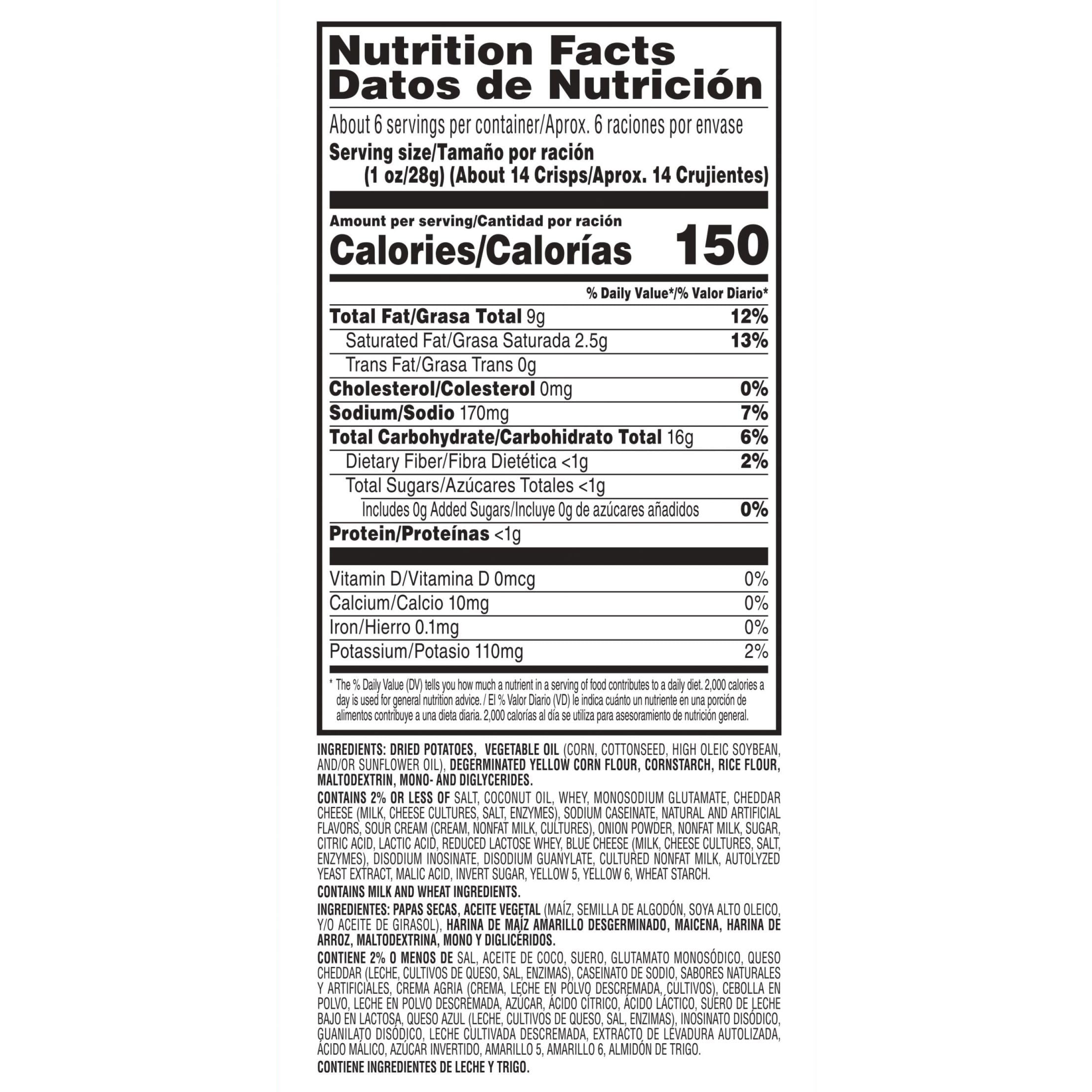
Label from Pringles

Research

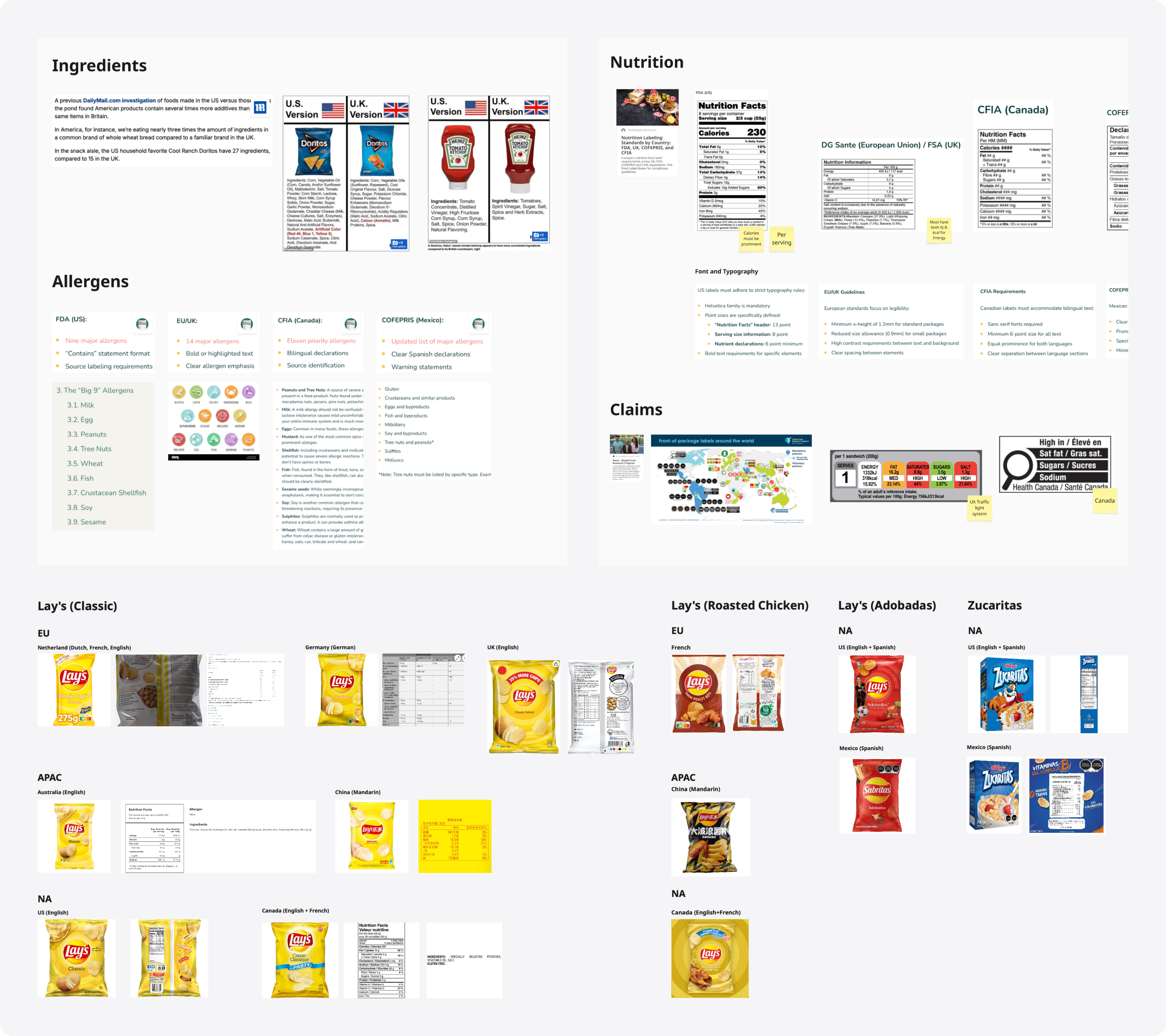
I started with researching what food labels contain and found that each label item is regulated differently across regions.

I then gathered real packaging examples and confirmed that products need different packages to meet local tastes and regulations.

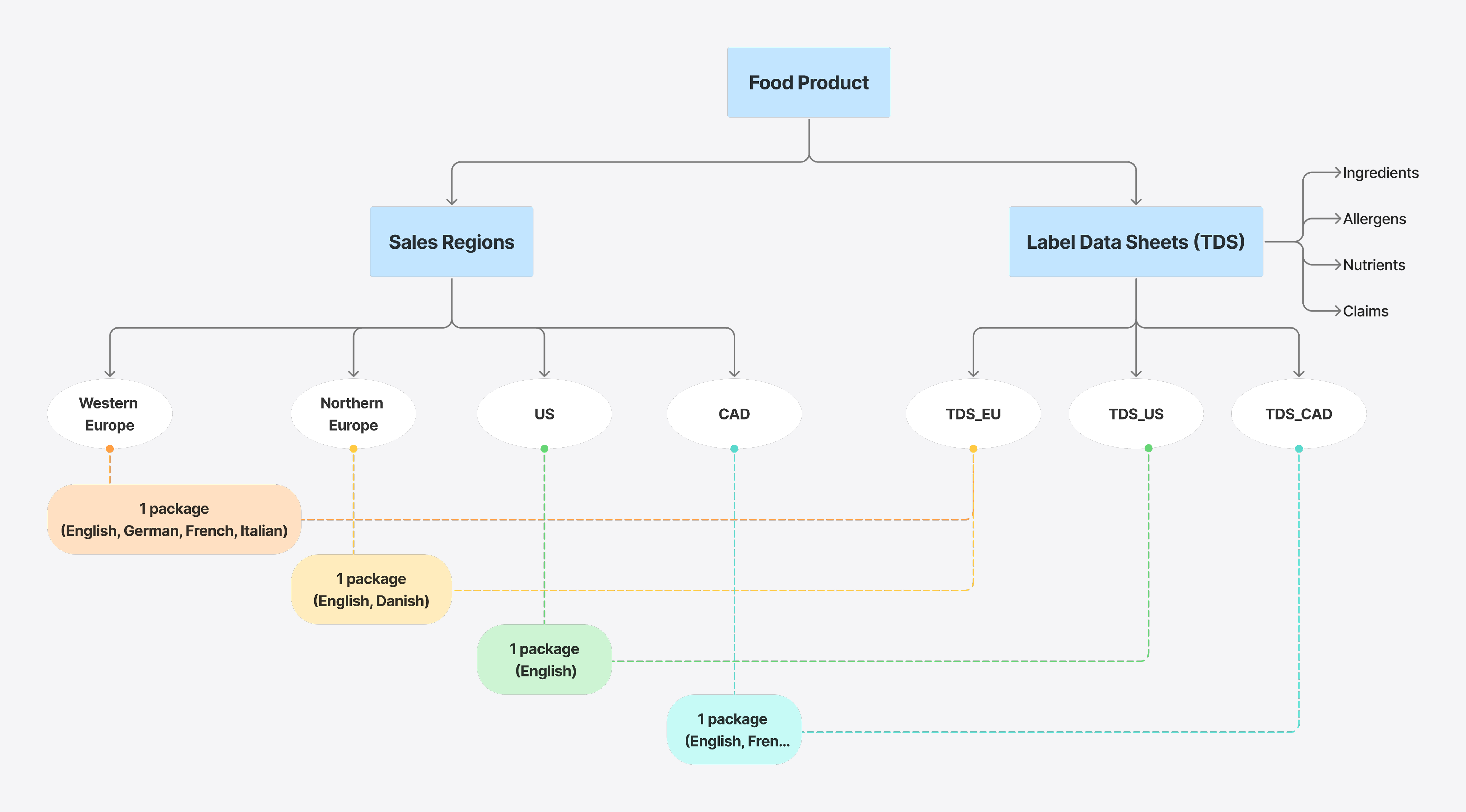
This led me to investigate how PLM manages label variations, which guided how we should surface the right data to designers.

Navigating through Ambiguity

My PM and I interviewed internal food experts and several key customers, synthesizing key takeaways that drive the product direction:

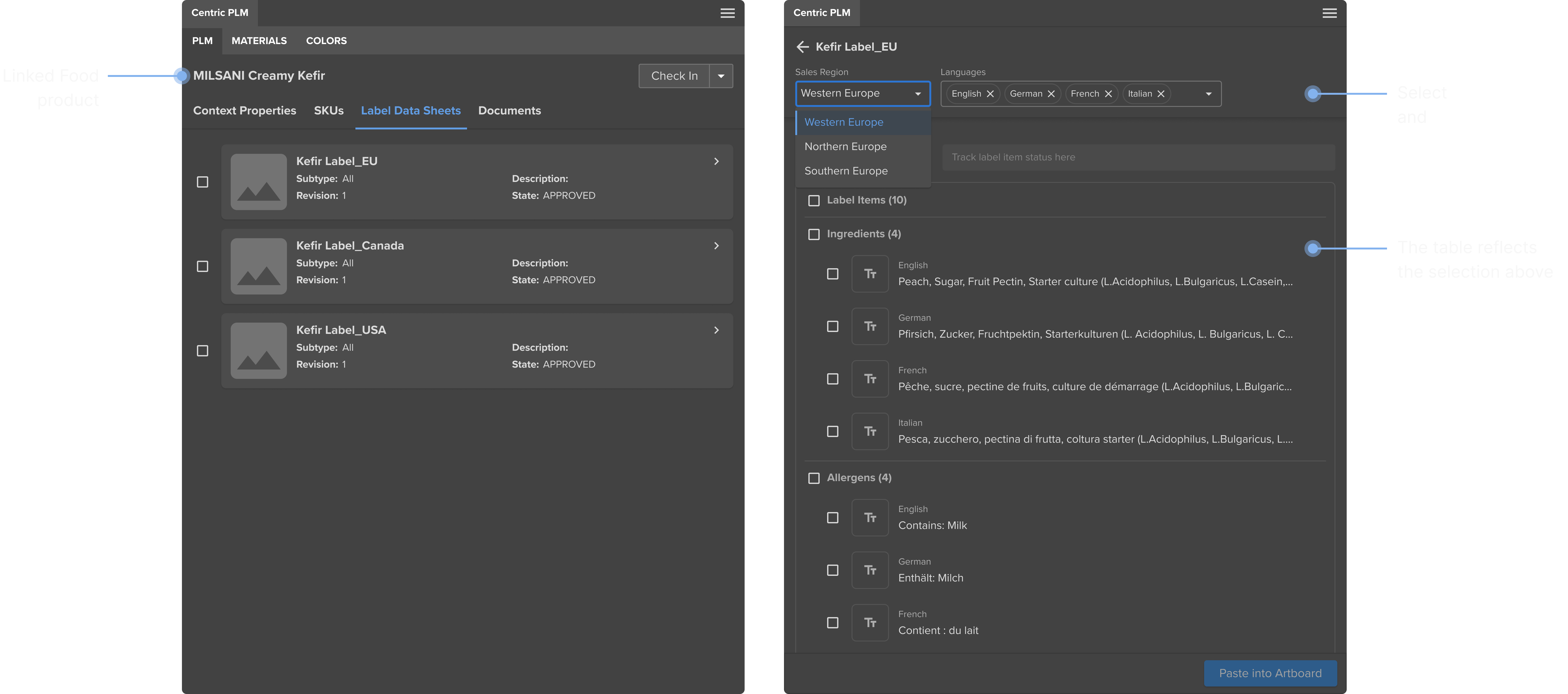
  • In PLM, users assign Sales Regions to each food product. Each region is linked to a TDS where label items are managed. The connector must allow designers to access label data at the regional level.
  • A package must include all required languages for that region, the connector must present label translations for every language used in that market.

Design Confidently with Reliable Data

Get Food Label Data

Once designers link their Illustrator file to a Food product in PLM, they can easily find and adjust the label data they need.

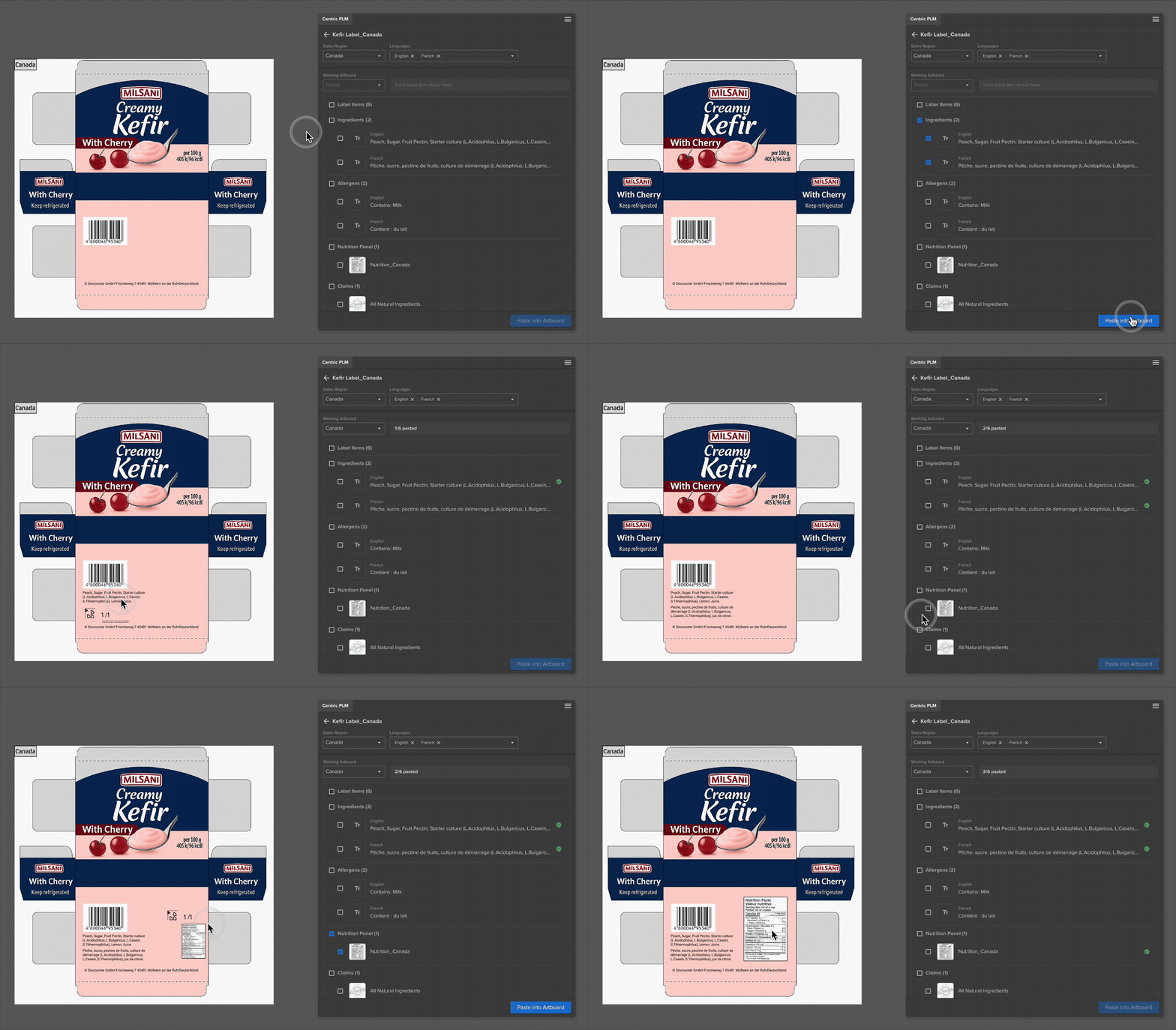
Paste Data into Artboard

Designers can paste multiple label items at once and clearly see which ones are already on the artboard. This makes it easier to stay organized and ensures nothing is overlooked.

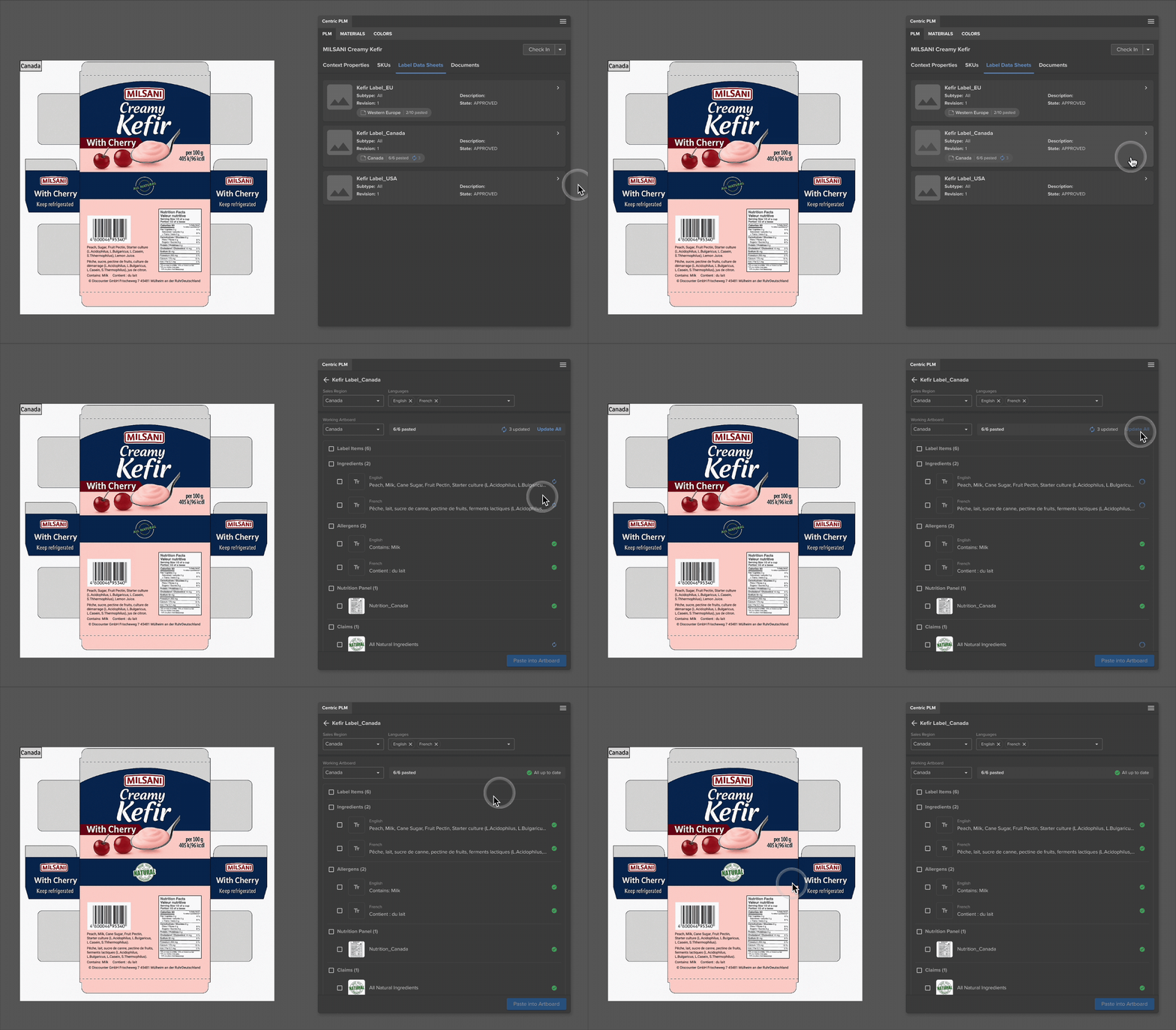
Stay on Updates

When PLM data changes, the connector highlights it so designers can update their artwork with the latest information.

Outcome

Even though the project is still in development, the prototypes have supported our presales team demo to food customers, with ongoing prospects totaling €14.8M showing strong interest. More broadly, this work expands our connector into a new market segment and reaches more customers.

Solidworks Connect:
Update BOM

New Function

Hardgoods

2024

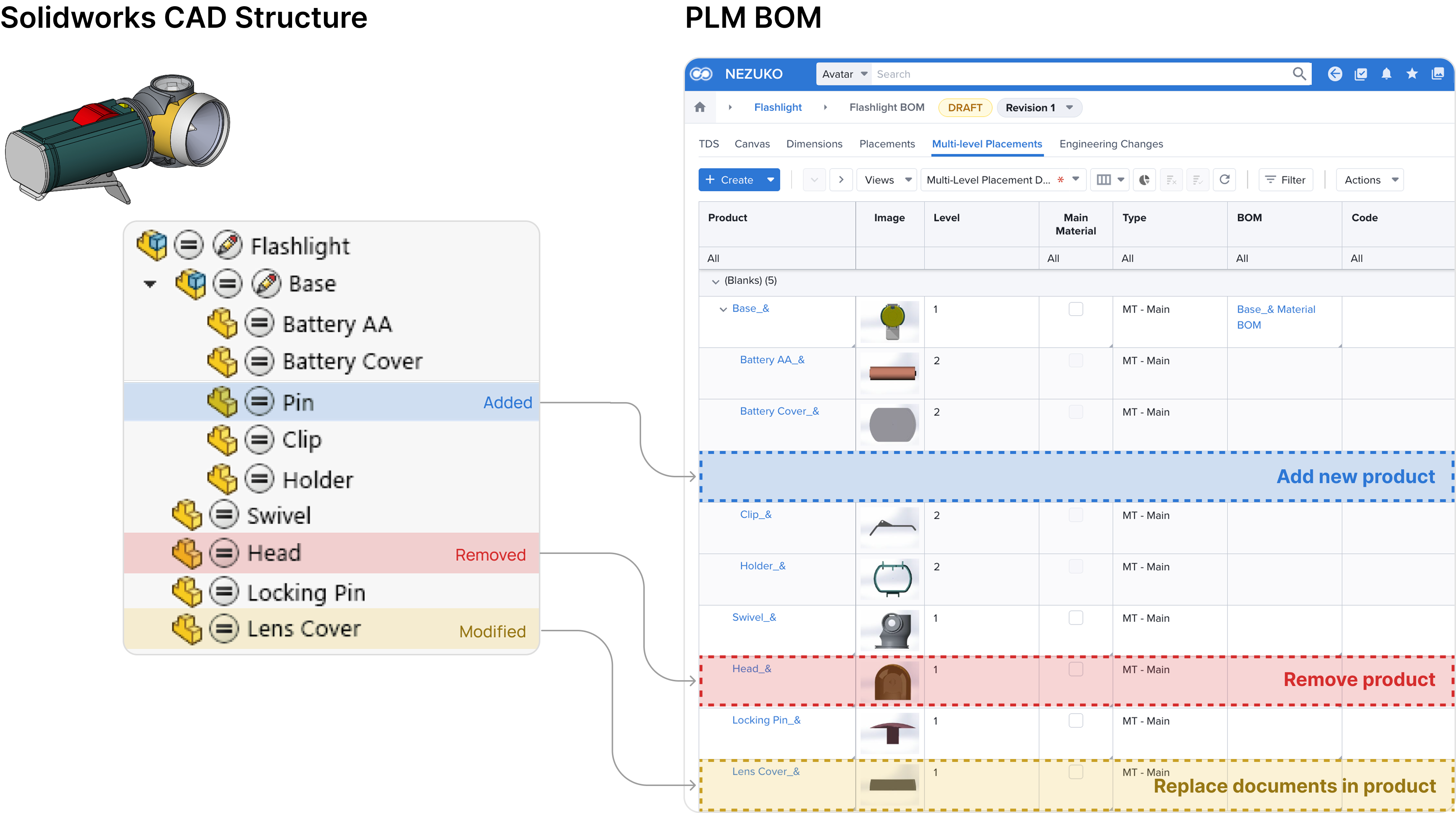
In engineering, data accuracy is everything. SolidWorks Connect allows engineers to push CAD data into PLM. It already supported BOM creation, but updates were still manual.

I led the design of a new Update BOM feature by defining the update workflow and revamping the BOM visualization, allowing engineers to keep PLM data aligned with evolving CAD models.

Problem

Engineers often work with complex assemblies, and every CAD change must be update in the PLM BOM.

Previously, engineers had to remember every change and manually adjust the BOM, leading to errors and wasted time.

Define the Update Logic

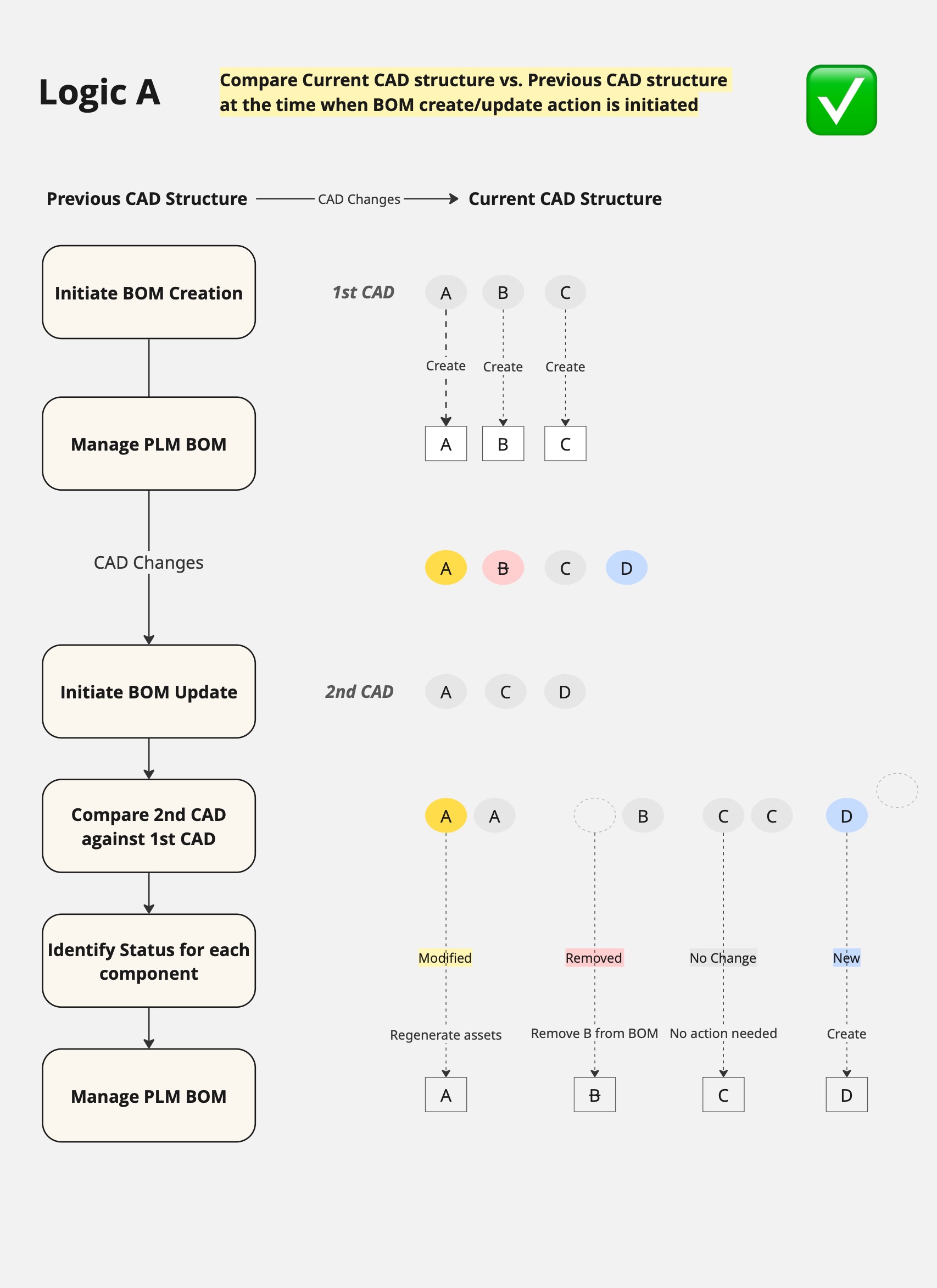
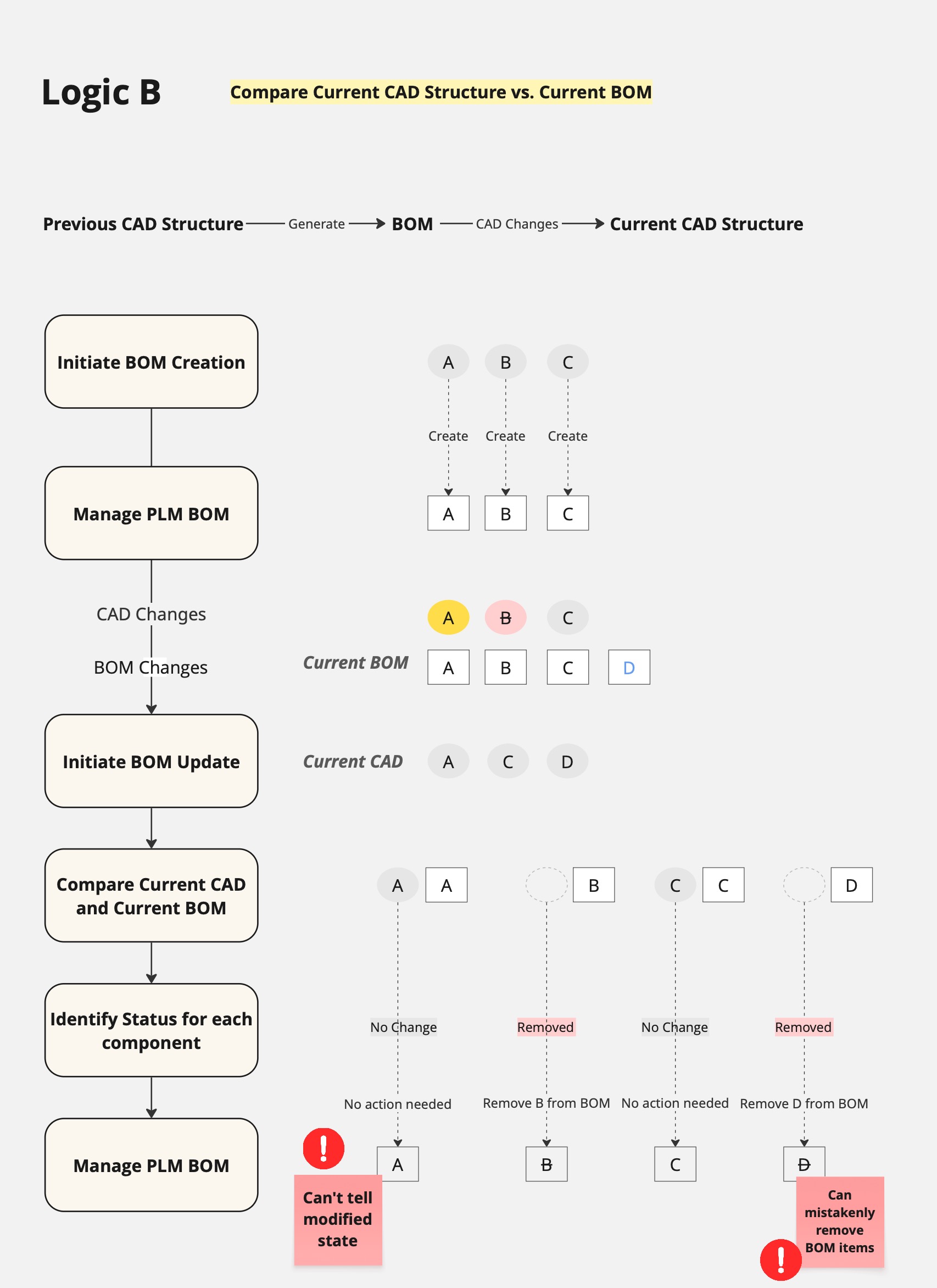
Our goal was to let the system detect changes instead of letting engineers track them. That required defining what “update” actually means.

I explored different options, tested with real assemblies, and validated with the team. The logic I proposed became the foundation of the feature.

Update Confidently with Clear Changes

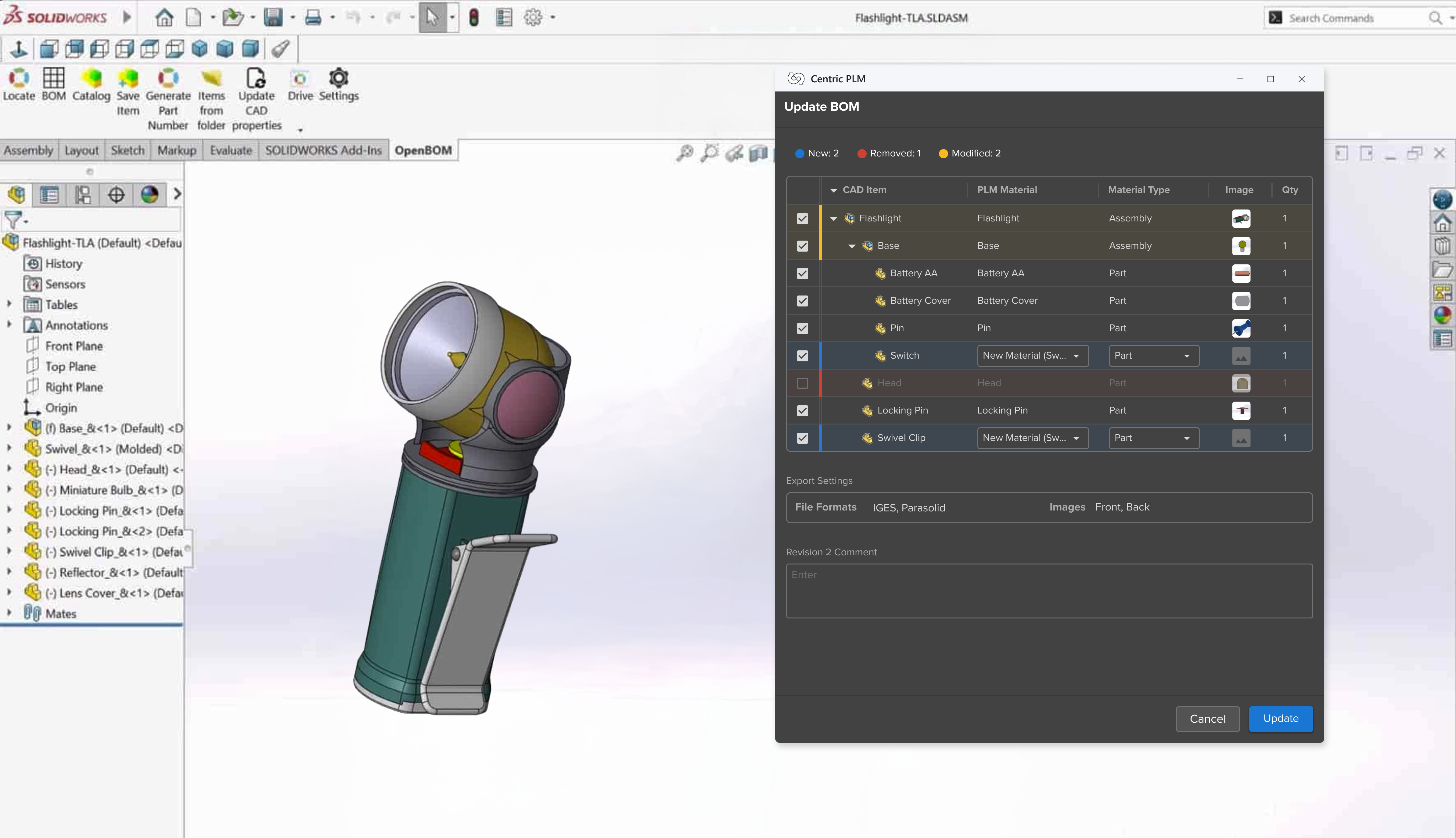
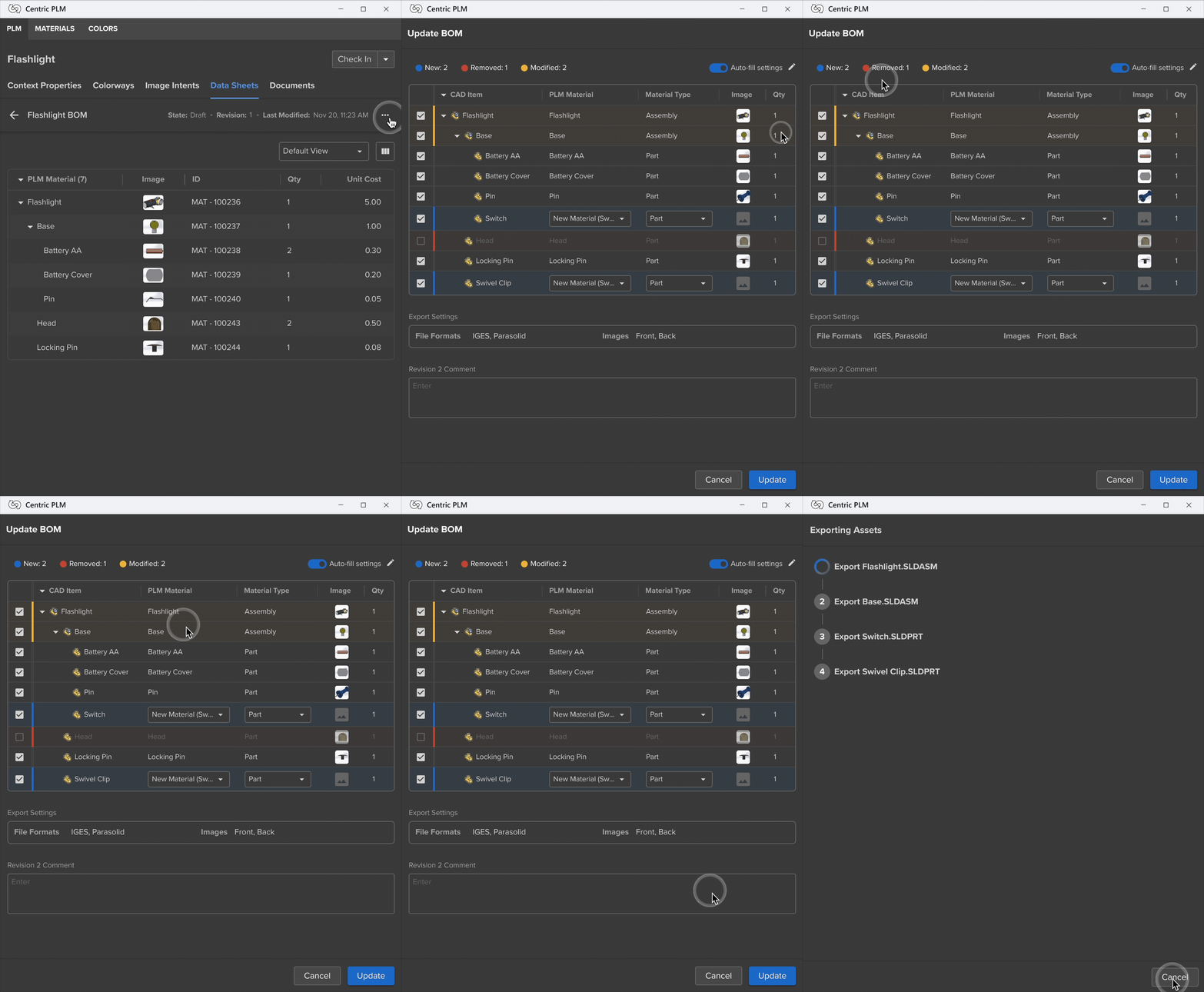
Update BOM

The connector detects CAD updates in the background and highlights the items that changed, allowing engineers to review the changes and confirm before updating.

Outcome

The Update BOM feature greatly reduces manual work for engineers and improves data accuracy between SolidWorks and PLM. In customer demos, engineers responded positively after seeing how much time and error it removes, strengthening trust in our solution.

Home
Next